
A Playbook for Automating SaaS Account Research (with Prompts and Workflows)
This is a practical playbook. Not a concept piece. Not a vision of what AI might do someday. A specific, usable set of workflows and prompts that SaaS sellers can deploy this week to automate the research process that currently eats two to three hours of every working day.
We'll cover:
- The four research workflows every SaaS AE needs
- The specific prompts to use for each workflow
- How to structure the outputs so they're actually useful on calls
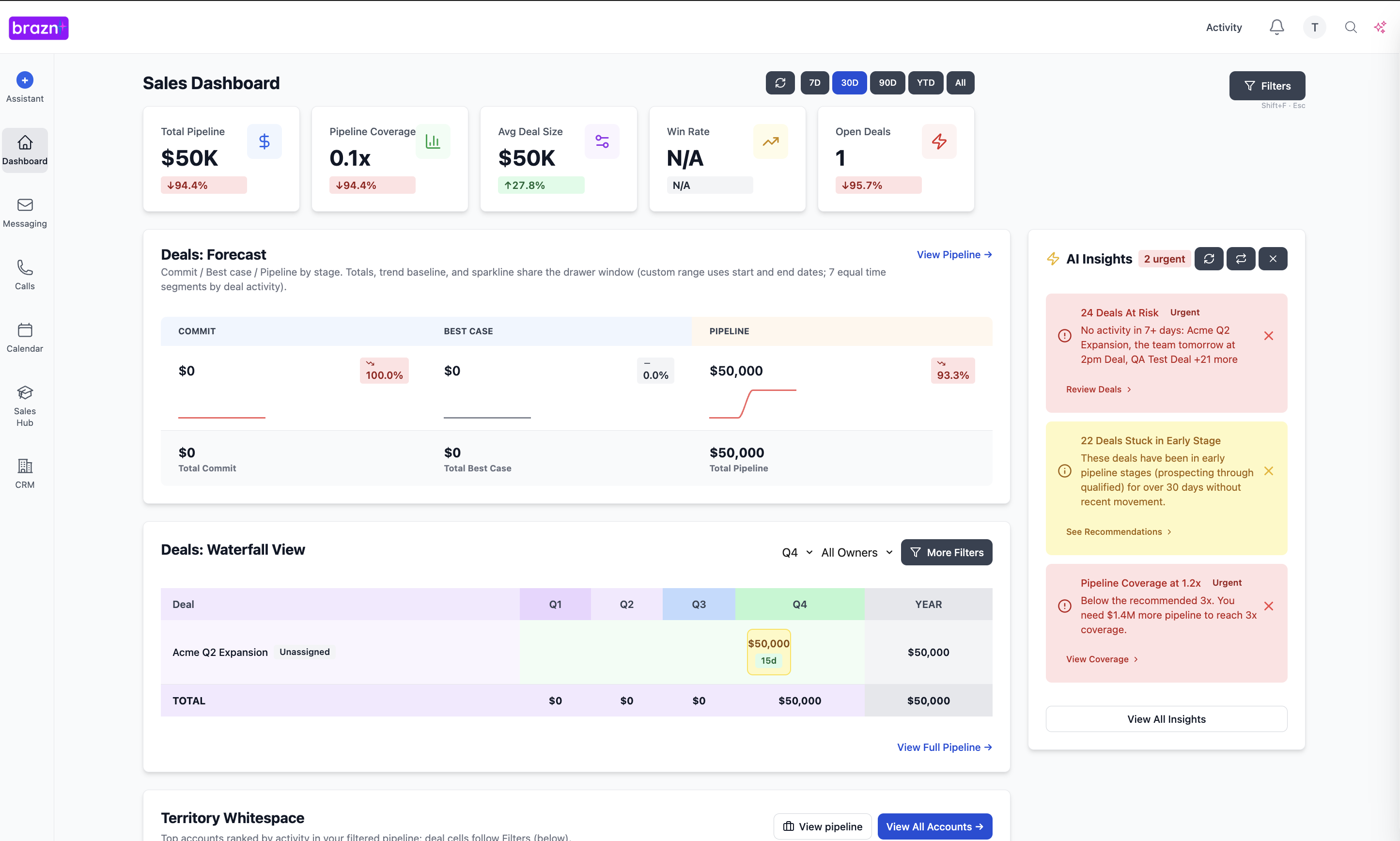
- How Brazn automates the entire process end-to-end
Take what's useful. Build on it. This playbook is a starting point, not a ceiling.
Before You Start: The Research Brief Framework
Every research output in this playbook follows the same structure — what we call the Three-Layer Brief. Understanding the framework first makes every workflow below immediately applicable.
Layer 1 — Context (What you need to not embarrass yourself)
Company overview, size, industry, funding stage, key products, target market. The basics. Necessary but not differentiating.
Layer 2 — Signal (What changes how you run the call)
Trigger events, strategic initiatives, hiring signals, technology stack, competitive context. This is where the conversation-shifting insights live.
Layer 3 — Action (What you do with what you know)
Suggested opening angle, specific discovery questions tailored to this account's context, sales qualification gaps to probe, competitive positioning to deploy.
Every workflow below produces output in this three-layer structure. Layer 1 alone is a waste of time. Layers 1 + 2 + 3 is a genuine competitive advantage.
Workflow 1: The New Account Discovery Brief
When to use: Before a first discovery call with a net-new prospect.
Time to build manually: 40–60 minutes. Time with AI: 5–8 minutes of review.
Goal: Walk into a cold call knowing more about the account than the rep who went in before you.
Step 1: Build the Account Context Layer
Start with the company fundamentals. Use this prompt in your AI tool of choice — ChatGPT, Claude, Perplexity, or ideally Brazn which pulls this automatically:
Prompt 1.1 — Company Overview
`textResearch [Company Name], a [industry] company.
Provide:
1. What they do and who they sell to (2–3 sentences)
2. Company size — employees, revenue range if available
3. Funding history — total raised, last round, lead investors
4. Recent growth trajectory — are they scaling, stable, or contracting?
5. Key products or platform — what is their core offering?
6. Their target customer — who do they sell to?
Format as a structured brief, not prose.`
Prompt 1.2 — Technology Stack
`textWhat is the known technology stack for [Company Name]?
Focus on:
- CRM and sales tools
- Marketing automation
- Data and analytics platforms
- Infrastructure and engineering stack
- Any tools in the [your product category] space
Note the source of each data point and confidence level.`
Step 2: Build the Signal Layer
This is where most manual research fails. The signals exist — the rep just doesn't have time to find them.
Prompt 1.3 — Trigger Event Scan
`textIdentify the most recent and relevant trigger events for [Company Name] in the last 90 days.
Look for:
- Funding rounds or M&A activity
- New executive hires (especially C-suite and VP level)
- Product launches or major announcements
- Expansion into new markets or geographies
- Layoffs or restructuring
- Relevant industry news that affects their business
For each trigger event, add one sentence on why it might be relevant to a conversation about [your product category].`
Prompt 1.4 — Hiring Signal Analysis
`textAnalyse the current job postings for [Company Name].
Identify:
1. How many open roles are in Sales, RevOps, and Marketing?
2. Are they hiring for roles that indicate investment in [your product category]?
3. What does the hiring pattern suggest about their strategic priorities?
4. Any specific job descriptions that reference tools, challenges, or initiatives relevant to what we sell?
Interpret the hiring signals — don't just list the roles.`
Prompt 1.5 — Strategic Priority Inference
`textBased on publicly available information about [Company Name] — their website, press releases, LinkedIn posts, executive interviews, and job postings — what are their top 2–3 strategic priorities for this year?
For each priority, suggest one way that [your product/solution] is directly relevant to that priority.
Be specific. Avoid generic statements like "growth" or "efficiency." Identify the specific initiatives.`
Step 3: Build the Action Layer
Prompt 1.6 — Opening Angle and Discovery Questions
`textBased on the following account context:
[paste Layer 1 and Layer 2 outputs]
Generate:
1. A suggested opening statement for a discovery call — 2–3 sentences that demonstrate account knowledge and establish relevance without being generic
2. Five high-quality discovery questions specific to this account's context — questions that would surface MEDDPICC-relevant information
3. The single most compelling value angle to explore based on what you know about their strategic priorities and technology stack`
Full Workflow 1 Output — The New Account Brief
Combine all outputs into this structure:
`textACCOUNT: [Company Name]
CALL DATE: [Date]
CONTACT: [Name, Title]
--- LAYER 1: CONTEXT ---
[Company overview, size, funding, products, target market]
--- LAYER 2: SIGNALS ---
Trigger Events: [List with relevance notes]
Hiring Signals: [Interpretation]
Tech Stack: [Relevant tools]
Strategic Priorities: [2–3 inferred priorities]
--- LAYER 3: ACTION ---
Opening Angle: [2–3 sentence opener]
Discovery Questions: [5 specific questions]
Best Value Angle: [Single most relevant positioning]`
Workflow 2: The Pre-Call Brief for Active Deals
When to use: Before every call on an open opportunity — follow-up calls, demos, stakeholder intros, negotiation calls.
Time to build manually: 20–30 minutes (assuming good CRM data — longer if not).
Time with AI: 3–5 minutes of review.
Goal: Walk into every deal call knowing what's happened, what's missing, and what needs to happen today.
This workflow is more CRM-dependent than Workflow 1 — it pulls from your deal history rather than public sources. This is where Brazn's native CRM integration produces the most time saving.
Prompt 2.1 — Deal State Summary
`textSummarise the current state of the deal with [Company Name].
Based on the following CRM notes and call history:
[paste relevant CRM notes, last call summary, MEDDPICC fields]
Provide:
1. Deal stage and where we are in the buyer's process
2. MEDDPICC coverage — which components are strong, which are weak, which are missing
3. Key stakeholders — who we've engaged, who we haven't, what their apparent position is
4. Last meaningful interaction — what was discussed and what was agreed
5. Open risks — anything that suggests the deal is more complex or uncertain than the CRM record suggests`
Prompt 2.2 — Call Preparation
`textBased on this deal context:
[paste Prompt 2.1 output]
Today's call is with [Name, Title] and the objective is [demo / stakeholder intro / business case review / negotiation / etc.]
Generate:
1. The single most important thing to establish on this call — based on MEDDPICC gaps and deal stage
2. Three specific questions to ask on this call — targeted at the gaps identified
3. One potential objection likely to arise and a suggested response
4. The specific next step to close for at the end of this call`
Prompt 2.3 — Stakeholder Prep
`textI'm about to speak with [Name] who is [Title] at [Company].
Their background: [paste LinkedIn summary or what you know]
Their apparent role in this deal: [Champion / EB / User / Influencer / Unknown]
Previous interactions: [paste any previous call or email context]
Generate:
1. What this person likely cares about most given their role and background
2. How to frame [your solution] in terms that resonate with their specific priorities
3. Any red flags or sensitivities to be aware of based on what you know
4. A suggested personalised opening for this specific person — not generic`
Workflow 3: The Competitive Intelligence Brief
When to use: When a competitor is mentioned in a deal — or before calling into accounts known to be using a competitor's product.
Time to build manually: 30–45 minutes.
Time with AI: 5–10 minutes of review.
Goal: Walk into a competitive situation knowing more about the landscape than the prospect expects.
Prompt 3.1 — Competitive Landscape
`textCompare [Your Product] and [Competitor] for a [Company Size] [Industry] SaaS company.
Focus on:
1. Where [Competitor] is genuinely strong — be honest, not dismissive
2. Where [Your Product] has a meaningful advantage — be specific, not generic
3. The decision criteria where [Your Product] wins most often
4. The decision criteria where [Competitor] tends to win
5. Common objections when [Competitor] is in the evaluation and suggested responses
6. Any recent product or pricing changes at [Competitor] worth knowing`
Prompt 3.2 — Competitive Positioning for This Account
`textBased on this account context:
[paste account brief from Workflow 1 or 2]
And the competitive landscape:
[paste Prompt 3.1 output]
Generate:
1. The specific competitive positioning to use for this account — based on their strategic priorities and technology context
2. The landmines to avoid — things [Competitor] will say that we need to get ahead of
3. The proof points most relevant to this account's profile — case studies, metrics, references that match their industry or size
4. The single most compelling differentiation to establish in the next call`
Workflow 4: The Reactivation Research Brief
When to use: When re-engaging a deal that has gone cold, a prospect who asked to be contacted later, or a churned customer.
Time to build manually: 20–30 minutes.
Time with AI: 3–5 minutes of review.
Goal: Re-engage with a message that demonstrates you remember everything and have been paying attention.
Prompt 4.1 — What's Changed Since Last Contact
`text[Company Name] was last contacted on [date]. Since then:
[paste any new trigger events, news, hiring signals from a quick scan]
Based on this, identify:
1. The most relevant development at this account since we last spoke
2. How that development creates a new or more urgent reason to reconnect
3. A suggested opening sentence for the re-engagement message that references the development specifically — not a generic "just checking in"`
Prompt 4.2 — Reactivation Message Draft
`textDraft a re-engagement email for [Name] at [Company].
Previous context: [paste deal history summary — what we discussed, what the situation was, why it paused]
Time elapsed: [X weeks / months]
New trigger event or reason to reach out: [paste from Prompt 4.1]
The email should:
- Be under 100 words
- Reference the previous conversation specifically — not generically
- Lead with the new development or changed context
- Have a clear, low-friction call to action
- Sound like it was written by a human who remembered the relationship — not a template`
How Brazn Automates All Four Workflows
The workflows above can be run manually — and if you're not yet using Brazn, running them manually is meaningfully better than not running them at all.
But manual execution has a ceiling. You'll do Workflow 1 for your top ten accounts. You'll do Workflow 2 for your most important calls. You'll skip Workflow 4 because the reactivation brief took thirty minutes and you had three other things due.
Brazn removes the ceiling by automating all four workflows end-to-end.
For Workflow 1 (New Account Discovery): When a meeting is booked with a new account, Brazn detects it and automatically builds the full Three-Layer Brief — pulling from enrichment tools, public sources, intent data, and your CRM — and delivers it thirty minutes before the call.
For Workflow 2 (Active Deal Pre-Call): Before every call on an open opportunity, Brazn builds the deal-state summary and call preparation brief automatically — pulling from Gong transcripts, CRM history, and email threads. Every call, every deal, every time.
For Workflow 3 (Competitive Intelligence): When a competitor is mentioned in a call transcript or email thread, Brazn automatically generates the competitive brief for that deal — positioning, landmines, relevant proof points — and delivers it before the next interaction.
For Workflow 4 (Reactivation): Brazn tracks every reactivation trigger — "reach out in Q3," "follow up in six weeks," "contact me after the rebrand" — and when the trigger fires, automatically builds a reactivation brief with a drafted message referencing both the original context and any new developments at the account.
The workflows don't require rep initiation. They happen because the system is monitoring the pipeline continuously and knows what each account needs at each moment.
Putting It Together: The Weekly Research Rhythm
Here's how a SaaS AE using these workflows structures their research week — whether running them manually or with Brazn:
Monday morning (15–20 minutes manual / 5 minutes with Brazn)
Review briefs for the week's upcoming calls. For each new account — Workflow 1. For each active deal call — Workflow 2. Flag any competitive situations for Workflow 3.
Before each call (5–10 minutes manual / 2 minutes with Brazn)
Review the relevant brief, absorb the action layer, adjust the opening angle and questions based on anything that's changed since the brief was built.
After each call (10–15 minutes manual / 90 seconds with Brazn)
Update the deal context for the next call. Note what was learned. Flag any new signals. If running manually, update your notes for next time. If running Brazn, approve the automatic CRM update and move on.
Friday (10 minutes manual / automated with Brazn)
Scan the reactivation queue — anyone who asked to be contacted that you haven't yet reached. Build Workflow 4 briefs for the top priority reactivations. Queue for Monday.
One Final Note on Prompt Quality
The prompts in this playbook are starting points. They'll produce good outputs immediately. They'll produce great outputs when you iterate on them for your specific product, your specific ICP, and your specific competitive landscape.
Two things that improve prompt output quality significantly:
Add your ICP context. The more specific you are about who you sell to — industry, company size, typical buyer persona, common pain points — the more relevant the outputs. A prompt that says "a 200-person Series B SaaS company targeting mid-market HR teams" produces sharper outputs than one that says "a tech company."
Add your product context. Prompts that include a clear one-paragraph description of what your product does, who it's for, and what problem it solves produce dramatically better action-layer outputs. The AI can only recommend a relevant value angle if it knows what your value actually is.
Build your product and ICP context into a reusable preamble. Paste it at the start of every prompt. Your outputs will immediately improve.
See Brazn in your sales stack
Map your current tools and see how Brazn can connect the work between them.